
Transparency
Transparency handling was none of an issue in the original Descent, but the more effects I added to D2X-XL, the more visual flaws appeared when displaying transparent objects, most noteably black areas around them hiding everything behind them. The reason for this is the way currenty graphics hardware handles texel rendering (I am using the term 'texel' to denote that it is located in 3D space. Pixels are located in the 2D space of the screen). Each texel has a depth coordinate (the Z value) roughly spoken giving its distance from the viewer: The further away, the bigger. Now if a texel gets rendered, a depth buffer is checked whether there is already a pixel occupying the 2D location the texel gets projected on. If so, that pixel's depth entry is compared to the texel's depth value, and if it is bigger, it gets overwritten (this is called overdraw).
Now overdraw is not desireable as it costs performance, so the polygons that are to be rendered during a frame are sorted by their distance from the viewer and the closest, that appear biggest due to perspective are rendered first, occupying a big part of the screen very quickly and thus preventing more distant polygons' pixels from being written to the graphics hardware's color buffer. This does not work well for semi-transparent polygons, as there is no way to store transparency information in the render buffer. It's either 'there is no pixel, or there is one and it is closer, or at the same distance, or further away'. That means you need to make sure that stuff behind transparent objects is rendered first. D2X-XL does this in two passes: The first pass renders opaque stuff front to back, the second renders transparent objects back to front, using depth information retrieved via the level's segment structure for sorting.
No big deal, you may think, but the problems start already with transparent objects in one segment, as the Descent engine has no way of taking that into regard. It gets worse if you have a lot of transparent objects (like smoke particles) that have no information about what segment they are in because that would slow the renderer down too much. Having the smoke renderer do some sorting as explained in another worklog entry helps, but only unless there are a lot of other transparent objects the smoke renderer doesn't know of (gun fire or lightning effects). The problem also became very apparent if you had semi-transparent geometry (like a mesh glass window) and smoke behind it: The smoke simply wasn't visible.
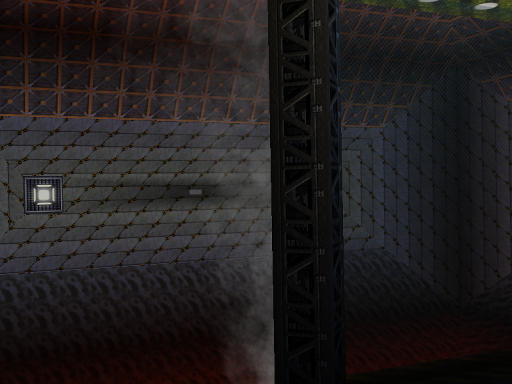
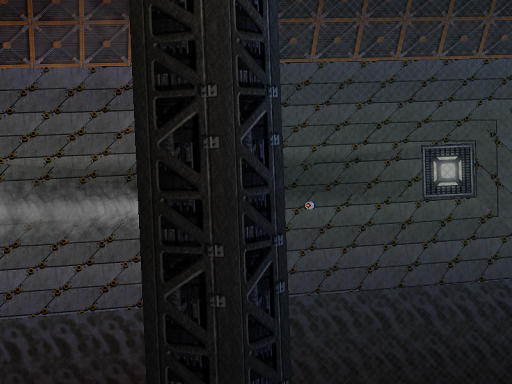
Well, there may not be a cure for everything, but for this there is.  I simply expanded the smoke renderer's depth buffer
scheme into a general depth buffer for transparent objects. It turned out that it was pretty simply to have the renderer first feed the depth buffer with
all (well, most) transparent objects, and then render them. Having all objects rendered by a central renderer even allowed some optimizations. To bring the
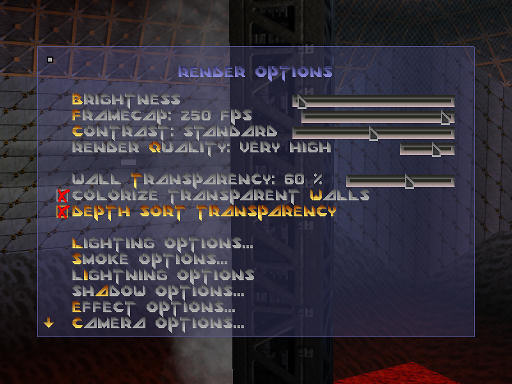
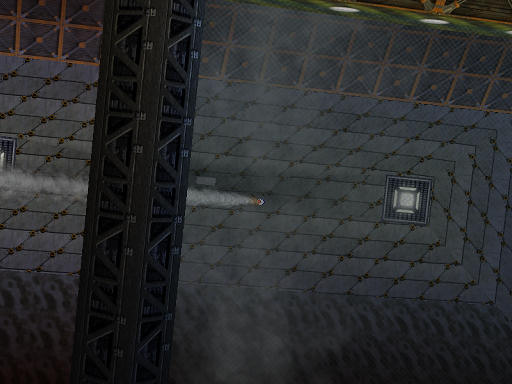
long story to an end: D2X-XL now does full depth sorting of transparent objects at no loss of performance (apart from that caused by having to render more
stuff than before because it's now visible
I simply expanded the smoke renderer's depth buffer
scheme into a general depth buffer for transparent objects. It turned out that it was pretty simply to have the renderer first feed the depth buffer with
all (well, most) transparent objects, and then render them. Having all objects rendered by a central renderer even allowed some optimizations. To bring the
long story to an end: D2X-XL now does full depth sorting of transparent objects at no loss of performance (apart from that caused by having to render more
stuff than before because it's now visible  ).
).
Sounds good?