
Compact HUD
The other day, a well known member of the Descent community installed D2X-XL in order to review one of my multiplayer maps. The first thing he asked after having entered the mine was where the D1X style HUD was. I had no idea what he was talking about. After a while, I managed to acquire a screenshot showing it, and it turned out that D1X has a compact HUD style where the most vital ship information (energy and shields) was displayed left and right of the reticle in abbreviated form. The idea was neat - I just didn't like how D1X did it.
D1X prints single letters or mere numbers on the screen for every weapon available in the game, whether you had it or not, and whether it was equipped or not. The screen was just too cluttered, and there was too much unneeded information visible:
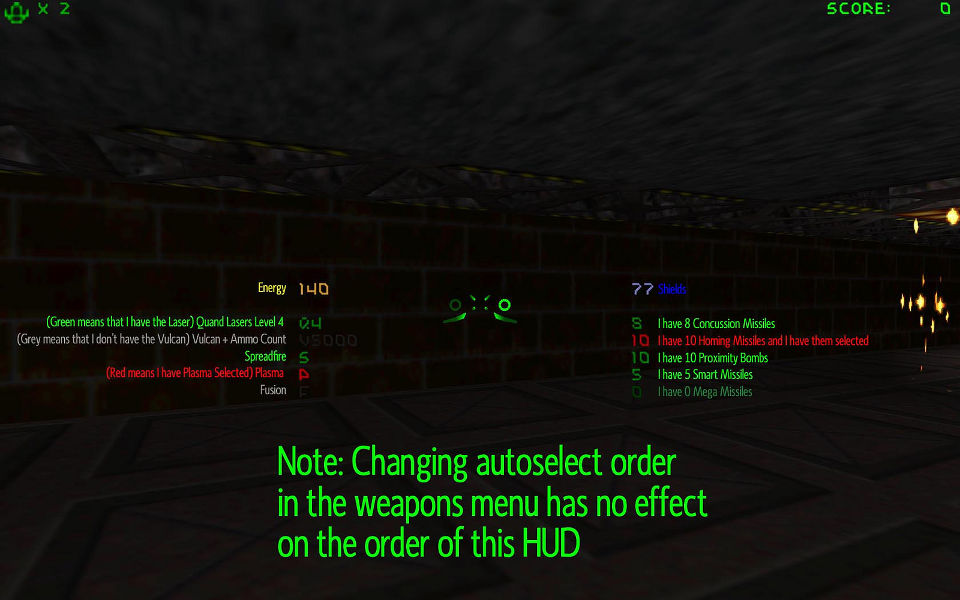
Fortunately I had started working on my own version of such a HUD before having seen the D1X version, and I think I may have come up with a more elegant solution, only displaying what really matters close to the reticle, allowing you to perceive all information just by looking at where you are aiming anyway. Since D2X-XL offers a complete overview over all equipment you have via its HUD icon system, I deemed it unnecessary to display information whether you have it or not for each weapon in the game at the reticle. D2X-XL is offering two different ship state layouts.
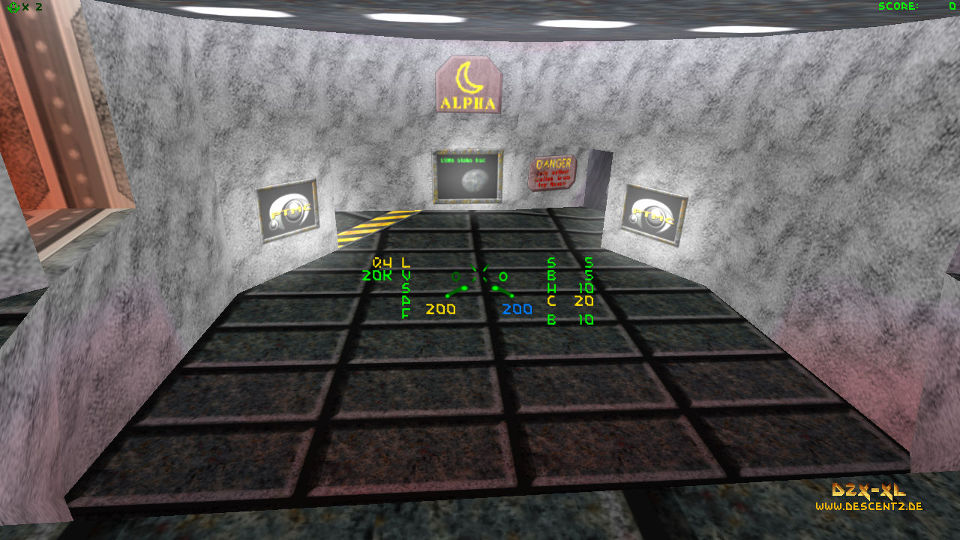
The column oriented layout is actually quite similar to the D1X compact HUD now, but I think it is a bit easier to grasp with a glance:
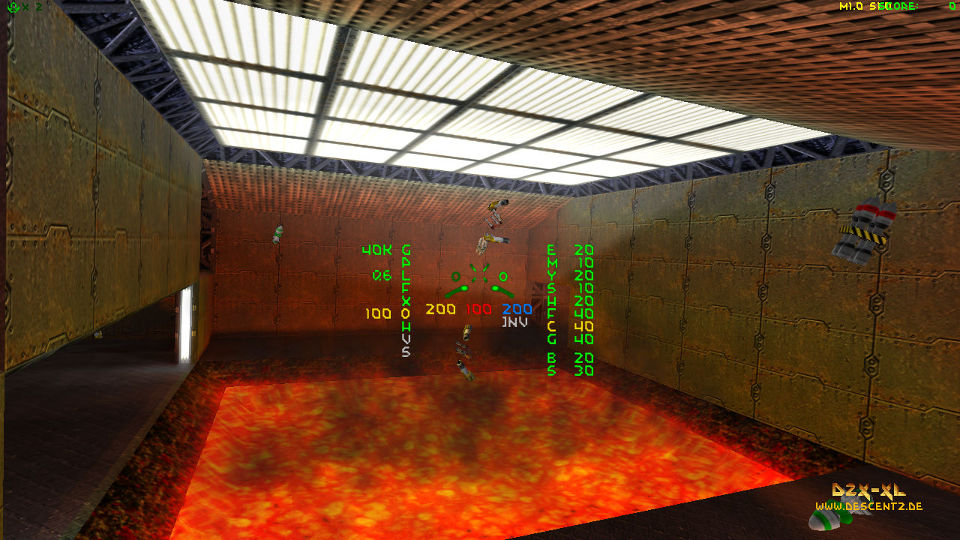
The row oriented layout shows energy and shields in the top row, primary and secondary weapons (guns and missiles) below them, and ammo below these. If a player has 10 or more missiles or bombs of a kind, an asterisk is printed below the weapon:
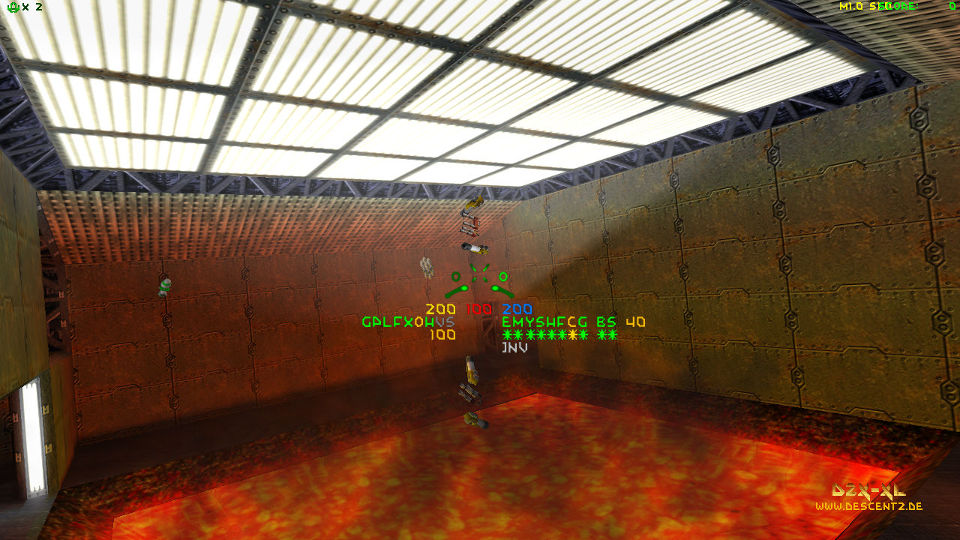
Cloak and invulnerability states are always displayed in the fourth row when active.
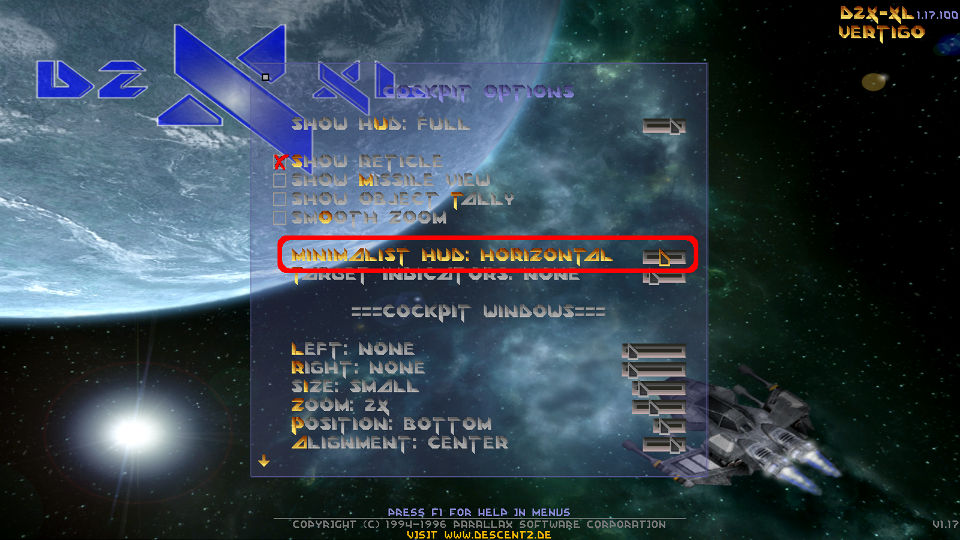
You can chose your layout in the cockpit configuration menu:
I think that this HUD style maybe particularly suited for multiplayer matches where you want to see everything you need to know about your ship at a glance without having to turn your eyes to a corner of your screen, but of course it will also come handy when playing singleplayer or coop games.