DLE - Texture Tool |
 |
|
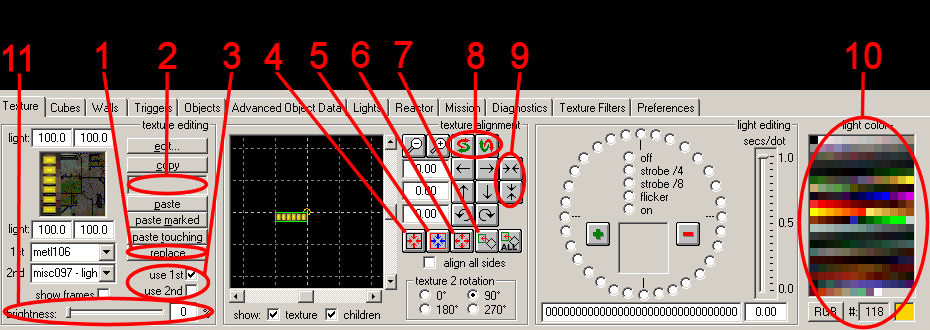
The texture tool contains all controls to set and align textures and attach variable lights to a segment's side. Texture tool controls
Texture Types and FilteringDLE sorts all textures by their type and appearance. You can hide or show textures from certain categories using the texture filter dialog. Texture BrightnessDLE allows you to assign a brightness to every texture. Custom brightness values will be stored in a .lgt file in the level's hog file and be used by DLE's lighting routines. Light ColorsIn levels of type D2X-XL, a color can be assigned to each light source in the level. DLE's lighting routines will compute the proper colored lighting. Please regard that two differently colored light sources placed in each others close vicinity will interfere with each other and probably create some undesirable color between them. To avoid this, mark the cubes around each light source and call the light tool once for each marked area. RemarksWhen setting a door's texture with the texture tool, DLE will automatically assign the corresponding clip (i.e. animation) to the door wall - provided the texture set is a door texture. |
|
|
 Download